Restaurant Table Orders on WhatsApp: One Link per Table, Zero App Downloads, Zero Commission
In this article
Quick Summary: Placing a dedicated WhatsApp QR code on each dining table lets customers scan to order directly from their own phones with their table number pre-filled. Because the entire order arrives as an unencrypted chat message on the cafe’s WhatsApp Business app, small diners and bakeries can take digital orders without paying 15% to 25% aggregator commissions or forcing guests to install third-party mobile apps.
If you operate a cozy neighborhood cafe, quick-service bakery, or family restaurant in India, you have probably been pitched by sales representatives selling “contactless digital dining platforms”. The pitch sounds attractive until you read the fine print: u20b91,500 monthly software subscriptions, a 2% cut of every order, and a clunky interface that requires diners to download an app or register with an OTP before ordering a cup of coffee.
Most diners refuse to do it. They came out to enjoy lunch with friends, not to sign up for another online account. They end up waving down busy waitstaff to ask for a printed paper menu, while your kitchen team rushes to juggle handwritten slips.
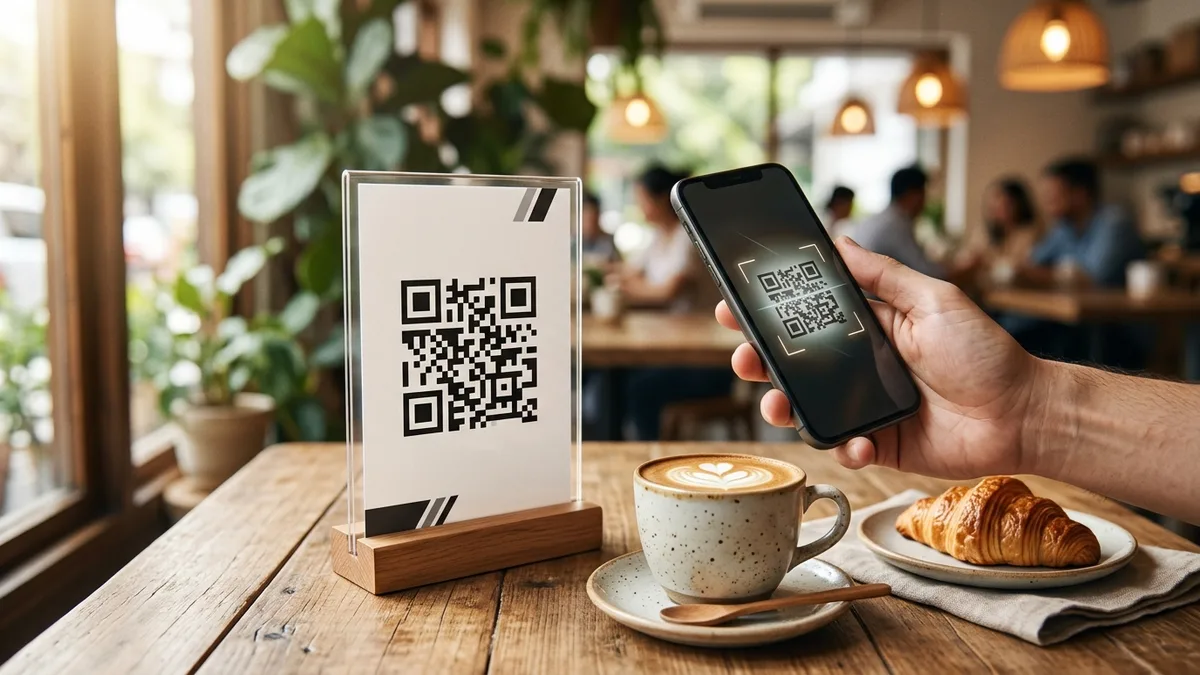
There is a far simpler, completely free approach used by fast-moving independent cafes: turn WhatsApp into your table-ordering terminal. By assigning a unique QR code to each dining table, guests scan the standee with their standard phone camera, view your menu, and send their order directly to your kitchen with their table number already identified.
When WhatsApp table ordering works (and when a traditional POS is better)
Being honest about your operational scale is the first step toward choosing the right ordering system. WhatsApp table ordering is an outstanding solution for specific dining formats, but it is not built for every restaurant.
WhatsApp table ordering excels when:
- You operate 5 to 20 tables: Quick-service cafes, dessert parlors, artisanal tea rooms, and boutique rooftop diners where one or two staff members manage front-of-house operations.
- Your menu is concise and focused: Bakeries with 20 to 40 items, coffee shops, burger joints, and breakfast eateries where customers make quick decisions.
- You want direct customer relationships: Because the order arrives from the customer’s personal WhatsApp number, you gain an authentic, permission-based contact thread to share weekend specials and festival discounts later.
- You want zero commission fees: You keep 100% of your top-line billing instead of surrendering margins to aggregators.
When a traditional touchscreen POS is better:
- High-volume multi-station kitchens: If your restaurant has 50 tables with separate Tandoor, Continental, and Bar dispensing stations requiring automated Kitchen Order Tickets (KOT) printing across three different thermal printers, an enterprise POS system is necessary.
- Peak weekend rushes with rapid table turnover: If 10 orders arrive in 60 seconds, reading chat text requires dedicated screen monitoring.
How the table-specific WhatsApp ordering link works under the hood
Instead of placing a generic phone number on every table tent, you create an individualized wa.me link for every physical table in your dining room.
WhatsApp’s native URL architecture allows you to attach a pre-filled text parameter formatted as:
https://wa.me/919000000000?text=Hi%20Jay%20Cafe,%20we%20are%20at%20Table%204%20and%20would%20like%20to%20order:
When a guest sitting at Table 4 points their smartphone camera at the table stand, their phone launches WhatsApp with that exact sentence sitting in the message field. The guest simply types what they want below the prompt:
“Hi Jay Cafe, we are at Table 4 and would like to order:
2 Cappuccinos (Oat milk)
1 Almond Croissant
1 Truffle Fries”
Your barista or order counter immediately sees: Table 4. There is zero confusion over which corner of the room placed the order.
Step by step: setting up a ten-table ordering system for Jay Cafe
You can set up a full ten-table digital ordering system in less than fifteen minutes using our client-side tools:
- Set up your WhatsApp Business catalog: In your WhatsApp Business app on your phone or tablet, go to Business Tools > Catalog. Upload clear photos of your signature dishes, beverage options, and prices. This allows diners to browse your menu directly inside WhatsApp without downloading an external PDF.
- Generate table-specific QR codes: Open our free WhatsApp link and QR generator. Type your business WhatsApp number and set the pre-filled message for Table 1:
Hi Jay Cafe, we are at Table 1 and would like to order:. Download the high-resolution vector SVG or PNG. - Repeat for each dining table: Change the text to “Table 2”, “Table 3”, through “Table 10”. Export each corresponding QR code file with clear filenames (for example,
jay-cafe-table-1.png). - Print durable table tents: Place the codes into clean A6 or A5 vertical tabletop stands, with Table 1’s code on Table 1.
To dive deeper into the technical differences between basic WhatsApp and enterprise setups, read our guide on WhatsApp Business App vs Cloud API for growing food brands.
Designing the three-part table tent: order, pay, and review
Do not waste valuable tabletop real estate on a card that only does one thing. An effective restaurant table tent handles the three key phases of a customer’s dining journey:
| Table Tent Panel | Customer Journey Phase | QR Code Functionality | Action Prompt |
|---|---|---|---|
| Front: Order | Arrival & Seating | Table-specific WhatsApp link | “Scan to view menu and order from Table 4” |
| Back: Pay | End of Meal | Open-amount UPI QR code | “Scan to pay your bill with any UPI app (GPay, PhonePe, Paytm)” |
| Footer: Review | Departure | Direct Google Business Review link | “Loved your coffee? Scan to rate us on Google Maps” |
This three-part structure guides your diners from initial seating to final settlement without requiring your waitstaff to run back and forth with paper bills and payment card machines.
Taking table payments: why open-amount UPI QR codes keep tables turning fast
Waiting for the paper check is universally rated by diners as the most frustrating part of the restaurant experience. A diner finishes their meal, tries to catch a waiter’s eye, waits five minutes for the bill to print, hands over a credit card, waits for the swipe machine to arrive, and enters their PIN.
You can turn that entire five-minute delay into a ten-second scan by placing an open-amount UPI QR code directly on the back of the table tent using our free UPI QR code generator.
When the diner finishes eating, your counter staff sends a quick WhatsApp reply with the bill total: “Your total is u20b9540. You can scan the UPI code on your table stand to settle.” The diner scans with Google Pay or PhonePe, types u20b9540, and completes the payment. Your UPI soundbox announces the credit instantly, and the diner walks out happy.
Managing the kitchen rush with WhatsApp Business labels and quick replies
To keep orders organized on a single counter tablet during busy lunch hours, use two built-in features of the free WhatsApp Business app:
- Color-Coded Chat Labels: Create four standard labels:
- Yellow:
New Order (Pending Prep) - Blue:
Kitchen Preparing - Green:
Served / Awaiting Bill - Grey:
Settled & Closed
- Yellow:
- One-Tap Quick Replies: Set up shortcut text snippets in your keyboard:
/ack→ “Order received for Table [X]! Preparing fresh now. Estimated time: 10 minutes.”/ready→ “Your order is ready and being brought to your table!”/bill→ “Thank you for dining with us! Your total is u20b9[Amount]. Scan the stand on your table to pay via UPI.”
To learn how modern hospitality and culinary operators use contactless profiles, explore our comprehensive guide on digital profiles and smart tools for restaurants and cafes.
A five-point checklist before your first weekend service
Before launching your WhatsApp table ordering system for weekend diners, run through this operational checklist:
- Cross-verify table numbers: Sit at each physical table in your cafe, scan the printed standee, and ensure the pre-filled text displays the exact table number you are seated at.
- Set up a dedicated counter tablet: Keep a shared tablet or laptop running WhatsApp Web mounted near the coffee espresso machine or billing desk so kitchen staff can read incoming chats clearly.
- Test sound notifications: Ensure the alert volume on your order tablet is loud enough to be heard over background cafe music and espresso grinder noise.
- Brief your service staff: Train your staff to point out the standee during seating: “Welcome to Jay Cafe! You can scan the code on your table to view our full menu and send your order straight to our barista.”
- Include Google Review prompts at departure: Use our free Google review generator to print a clean review code on the footer of the stand so happy diners can leave feedback before walking out.
Frequently Asked Questions
Does a diner need to download an app to order on WhatsApp?
No. WhatsApp is already installed on virtually every smartphone in India. Diners simply scan the QR code with their native phone camera, and it opens their existing WhatsApp app instantly with zero app store downloads.
Can diners add items or place a second order during their meal?
Yes, seamlessly. Because the ongoing conversation is already open in their WhatsApp chat thread, the diner simply replies in the same chat: “Could we also get another iced latte and a chocolate cookie for Table 4?”. The order adds directly to their active table ticket.
What happens if a customer has trouble typing their order?
Your waitstaff is still on the floor providing warm personal hospitality. If a customer prefers ordering verbally, your staff takes the order in person. WhatsApp ordering does not replace your team; it handles routine ordering so your staff can focus on welcoming guests and serving hot food.
Do I have to pay transaction fees or commissions on WhatsApp orders?
No. Taking orders through standard WhatsApp links is completely free with zero commissions. Payments collected through direct UPI QR codes also carry zero Merchant Discount Rate (MDR) under Indian banking guidelines.
Sources & Technical References
- WhatsApp Business Help Center – How to use click to chat and format pre-filled message links, checked 30 October 2026.
- National Payments Corporation of India (NPCI) – Unified Payments Interface (UPI) merchant linking and interoperable QR specifications, checked 30 October 2026.
- Beeps Card Editorial Standards – Methodology for restaurant service benchmarks and contactless ordering testing, checked 30 October 2026.

How to Write the One-Line Bio on Your Digital Visiting Card (With 24 Copy-Ready Examples by Profession)