UPI QR Codes on Invoices: Get Paid Without a Single “Please Send the Amount” Call
In this article
Quick Summary: Placing a static UPI QR code on your client invoice allows customers to scan using Google Pay, PhonePe, or Paytm with the payee name, exact billed amount, and invoice reference number already filled in. Because the client only needs to enter their UPI PIN to authenticate, payment delays caused by copy-pasting bank account numbers or typing errors are eliminated.
If you run a consulting firm, creative studio, tuition centre, or independent advisory practice in India, you are familiar with the standard invoicing cycle. You complete a milestone, generate a clean PDF bill, and send it over email or WhatsApp. Then you wait.
Three days later, you send a polite follow-up message. The client responds with: “Can you share your UPI ID or QR code? Opening my net banking app on laptop is taking time.” You send your UPI ID as plain text. Two hours later, another message arrives: “What was the exact figure again? Should I round it off?”
By the time the money finally lands in your bank account, you have exchanged four unnecessary messages. Worse, when your bank sends an SMS notification for ₹8,500 with a cryptic banking reference number, you have to contact the client again to ask: “Did you just transfer the payment? Please share a screenshot so I can match it to your bill.”
You can remove this entire friction cycle in less than two minutes: put a verified UPI payment QR code carrying the exact amount and invoice number directly inside your invoice footer.
Why client invoices get paid late (and the friction in typing payment details)
Most clients do not delay invoice payments out of bad intentions. They delay payment because completing an invoice transfer involves friction at the exact moment they open your bill.
When an invoice lists only traditional bank account details (account number, IFSC code, and branch name), paying it requires the client to:
- Log in to their corporate or personal net banking portal.
- Add your firm as a new beneficiary.
- Wait through an OTP confirmation and a mandatory 30-minute cooling period before their bank allows a transfer.
- Switch back to the invoice to double-check the exact amount.
Because that process requires five to ten minutes of focused effort, clients postpone the task: “I will do this from my office computer tomorrow.” Tomorrow turns into next Monday, and your invoice sits unpaid in an inbox.
Even when you provide a plain-text UPI ID (such as jayassociates@okbank), the client must switch between their PDF viewer and their UPI app, copy-paste the virtual payment address, manually enter the amount, and decide what to type in the remarks field. If they type ₹8,000 instead of ₹8,500, or leave the payment remark completely blank, reconciling your accounts requires manual cross-checking.
What goes into an invoice UPI QR code: ID, payee, amount, and reference note
The Unified Payments Interface built by the National Payments Corporation of India (NPCI) includes a standardized deep-linking URI protocol. Every UPI app in India, including Google Pay, PhonePe, Paytm, Cred, and BHIM, understands this format.
Instead of presenting an empty payment box, an invoice QR code packs five specific parameters directly into the black-and-white square matrix:
| Parameter | NPCI Spec Key | What It Does on the Invoice | Jay Associates Sample Value |
|---|---|---|---|
| Payee Virtual Address | pa |
The destination UPI ID where the funds must land | jayassociates@okbank |
| Payee Name | pn |
The verified legal or business name shown on the client screen | Jay Associates |
| Billed Amount | am |
Pre-populates the exact sum on the customer payment screen | 8500.00 |
| Currency Code | cu |
Specifies the currency standard (always Indian Rupee) | INR |
| Transaction Note | tn |
The reference remark carrying your invoice number | INV-1042 |
When combined according to the NPCI UPI Linking Specification, these parameters form a single string:
upi://pay?pa=jayassociates@okbank&pn=Jay%20Associates&am=8500.00&cu=INR&tn=INV-1042
When your client aims their phone camera at that QR code, their phone opens their preferred UPI app instantly. The destination name is set to Jay Associates, the transfer amount is locked to ₹8,500, and the note is populated with INV-1042. The client checks the figures, enters their 4-digit or 6-digit security PIN, and the transaction is done in seven seconds.
Fixed amount or open amount: which one belongs on an invoice?
When generating a UPI QR code, you can choose between an open-amount code (which leaves the amount box blank for the payer to enter) and a fixed-amount code (which locks in the exact rupee figure).
For store counters and billing desks where hundreds of customers purchase varying baskets of goods throughout the day, open-amount standees are standard practice. However, on a formal client invoice, a fixed-amount code is substantially better for three practical reasons:
- Eliminates decimal and typing errors: If your professional fees total ₹14,250, a hurried client typing manually on a mobile screen can easily mistype ₹14,520 or ₹14,000. A fixed code loads the exact figure down to the paise.
- Prevents rounding shortcuts: Clients often round off odd numbers (for example, transferring ₹9,000 against a bill of ₹9,150). This leaves small open balances on your ledger that take disproportionate time to follow up and clean up.
- Removes psychological friction: A client who sees an empty amount field has to double-check your PDF to confirm the total. A client whose screen immediately shows “Pay ₹8,500 to Jay Associates” feels confident that the app and the document match, and approves the transfer on the spot.
To learn more about payment methods for professional practices, explore our comprehensive guide on accepting UPI payments across modern client touchpoints.
Step by step: creating an invoice payment code for Jay Associates
Generating a production-ready payment QR code takes less than sixty seconds using our client-side tool. Here is the exact workflow for invoice INV-1042:
- Open the tool: Navigate to the free UPI QR code generator on beepscard.com.
- Enter your UPI ID: Type your active VPA (for example,
jayassociates@okbank). Double-check the spelling of the bank handle. - Enter your Payee Name: Enter the legal name linked to your bank account (for example,
Jay Associates). This ensures the name verified by NPCI matches your invoice header. - Enter the Billed Amount: Type the final balance due (for example,
8500). - Enter the Transaction Note: Type your concise invoice reference (for example,
INV-1042). Keep this under 25 characters to ensure compatibility across all banking networks. - Download high-resolution vector artwork: Download the code as a vector SVG file for crisp inclusion in Adobe InDesign, Illustrator, or Canva, or as a 1000 px PNG image for Google Docs, Microsoft Word, or Excel invoice templates.
| UPI App | Payee Name Displayed | Amount Field State | Transaction Note Displayed |
|---|---|---|---|
| Google Pay | Displays verified registered name with bank shield icon | Pre-filled with exact sum; highlighted in bold | Displays under payment description box |
| PhonePe | Displays business or contact name clearly at top | Pre-filled; payer proceeds straight to account selection | Displayed in transaction remarks field |
| Paytm | Displays verified bank beneficiary title | Populated automatically in primary payment card | Shows in reference note review bar |
| BHIM | Official NPCI interface showing complete VPA details | Pre-filled to exact amount | Displays in remarks line and passes to UTR receipt |
Because the generator executes entirely in your browser using local JavaScript, your banking virtual address, billing amounts, and customer invoice numbers are never sent to our servers. Your financial information stays completely private on your own device.
If you primarily invoice clients on mobile chat where they cannot scan their own screen with a physical camera, you can send a clickable payment link or digital card profile. Read our breakdown on choosing between UPI QR codes, deep links, and payment gateways for client billing.
Where to position the QR code on your PDF or paper invoice
Where and how you display the QR code directly determines whether clients scan it or miss it entirely. Follow these practical layout guidelines:
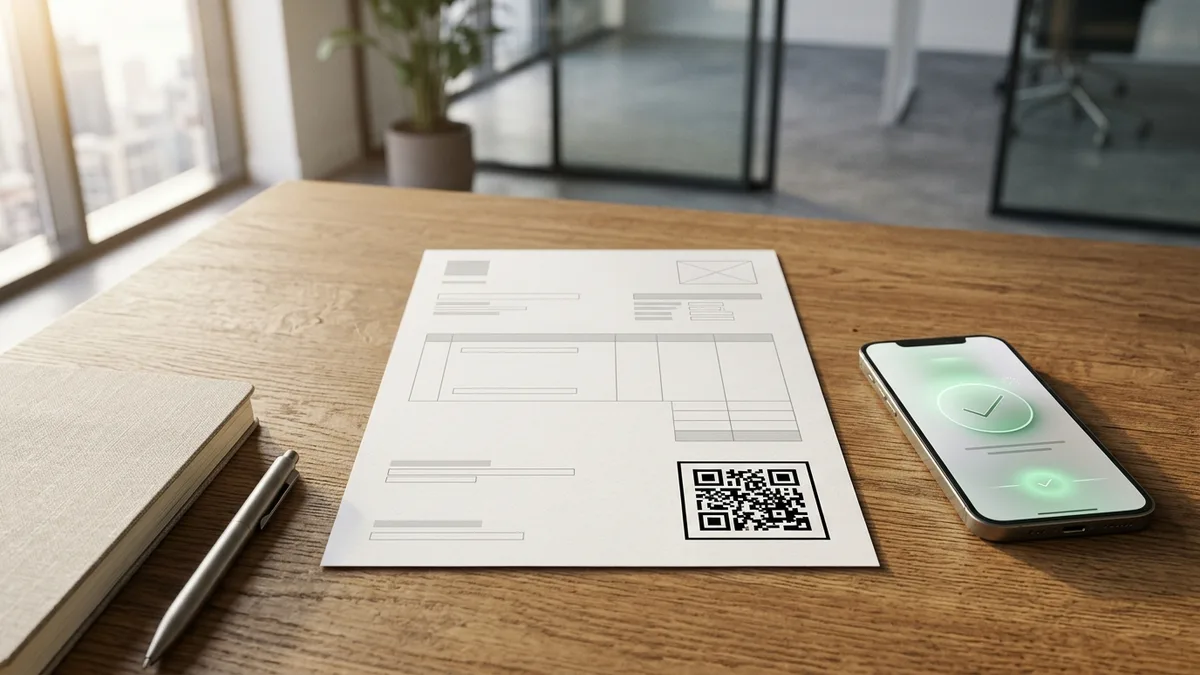
- Position in the bottom-right quadrant: Indian eye-tracking patterns on financial documents follow a Z-pattern. The client’s eyes travel from the top-left logo, across to the invoice date and number, down through line items, and naturally land in the bottom-right corner next to the “Total Amount Due” block.
- Ensure minimum physical print dimensions: If your invoices are printed on physical A4 paper, never print the QR code smaller than 2.5 cm x 2.5 cm. When viewing an electronic PDF on a computer monitor or tablet, ensure the QR image is exported at least 250 px x 250 px so phone camera lenses can lock focus effortlessly without zooming.
- Maintain a 4-module quiet zone: Leave a crisp white margin around all four sides of the QR square. Placing dark borders or colored background panels directly against the black data modules confuses the scanner’s corner detection algorithms.
- Include a clear instructional caption: Never place a bare QR code on a document without text. Always print a clear call-to-action line directly below the code.
“Scan with any UPI app (Google Pay, PhonePe, Paytm, BHIM) to pay ₹8,500 for INV-1042. Zero extra charges.”
Matching payments: how the invoice note appears in your bank statement
The biggest hidden headache for service businesses in India is not just receiving money, it is reconciling which payment belongs to which client. When clients transfer funds via net banking without notes, you are left with generic entries on your bank statement reading UPI/CR/431298471209/UPI/....
When a client scans an invoice QR code carrying the tn=INV-1042 parameter, the banking network passes that note string directly into the transaction metadata.
Here is what happens on both sides of the transaction:
- In your client’s passbook: Their banking app transaction history logs: “Paid ₹8,500 to Jay Associates – INV-1042”. They have an instant, unambiguous receipt proving that invoice INV-1042 has been settled.
- In your business statement: Your current account or savings statement records the inbound credit alongside the note:
UPI/CR/8500.00/INV-1042/JAY ASSOCIATES. - Zero screenshot requests: Your accounts manager or billing software can filter statements by the string “INV-1042” and reconcile the bill instantly. You no longer have to ask clients for transaction screenshots on WhatsApp.
Personal UPI ID or business merchant account: which should you use?
Depending on your current business volume and structure, you can link either a personal UPI ID or a dedicated merchant UPI account to your invoice codes.
For independent freelancers, individual creators, and solo tutors invoicing up to ₹1,00,000 per day, a standard personal UPI ID linked to your savings account works reliably with zero platform fees. However, personal peer-to-peer (P2P) transfers come with daily bank limits (typically capped at ₹1,00,000 per day by most Indian banks).
If you operate an established partnership firm, clinic, private limited company, or chartered accountancy practice where individual client invoices frequently exceed ₹1,00,000, you should link a formal merchant UPI account (P2M) tied to your current account. Merchant UPI handles higher transaction limits (up to ₹5,00,000 per transaction for verified categories) and provides automated settlement webhooks. To learn how to set up and verify merchant handles, read our guide on choosing between personal and business UPI accounts.
Frequently Asked Questions
Does a UPI QR code with an amount expire?
No. A static UPI QR code generated with NPCI parameters never expires. The data is encoded directly into the geometric black and white modules. As long as your bank account remains active and your UPI ID does not change, the code will scan and process payments indefinitely.
Can a client change or edit the amount when scanning the QR code?
In most popular UPI apps (including Google Pay and PhonePe), the amount field is pre-populated with the exact sum specified in the code. While some banking apps allow the payer to tap and clear the amount box, over 95% of payers simply proceed with the pre-filled figure because paying the exact bill is the quickest and easiest action.
Is it safe to put a UPI QR code on an invoice sent over email or WhatsApp?
Yes, completely safe. A UPI QR code contains only your public virtual payment address (VPA), registered payee name, and payment instructions. It cannot be used by anyone to debit or withdraw money from your account. The only action a QR code can trigger is an inbound deposit into your designated bank account.
Do I have to pay transaction fees or MDR on UPI invoice payments?
No. Under current Indian regulations, person-to-person (P2P) and standard merchant person-to-merchant (P2M) transactions processed through direct bank account-to-account UPI carry zero Merchant Discount Rate (MDR). You receive 100% of the billed invoice amount without payment gateway deductions.
Sources & Technical References
- National Payments Corporation of India (NPCI) – Unified Payments Interface (UPI) Linking Specifications and Protocol Architecture, checked 30 October 2026.
- Reserve Bank of India (RBI) – Payments and Settlement Systems in India: Vision Document and Operating Guidelines, checked 30 October 2026.
- Beeps Card Editorial Standards – Methodology for banking specification verification and client privacy standards, checked 30 October 2026.

How to Write the One-Line Bio on Your Digital Visiting Card (With 24 Copy-Ready Examples by Profession)