Your Printed QR Code Stopped Working? It Was Probably Never Yours to Begin With
In this article
Quick Summary: If your printed QR code suddenly stops working or displays an “account expired” message, you were almost certainly given a dynamic redirect link by a free generator website. Static QR codes encode your exact web address directly into the black-and-white square pattern and never expire, whereas dynamic codes route your customers through a middleman server that turns off the redirect once their trial period ends.
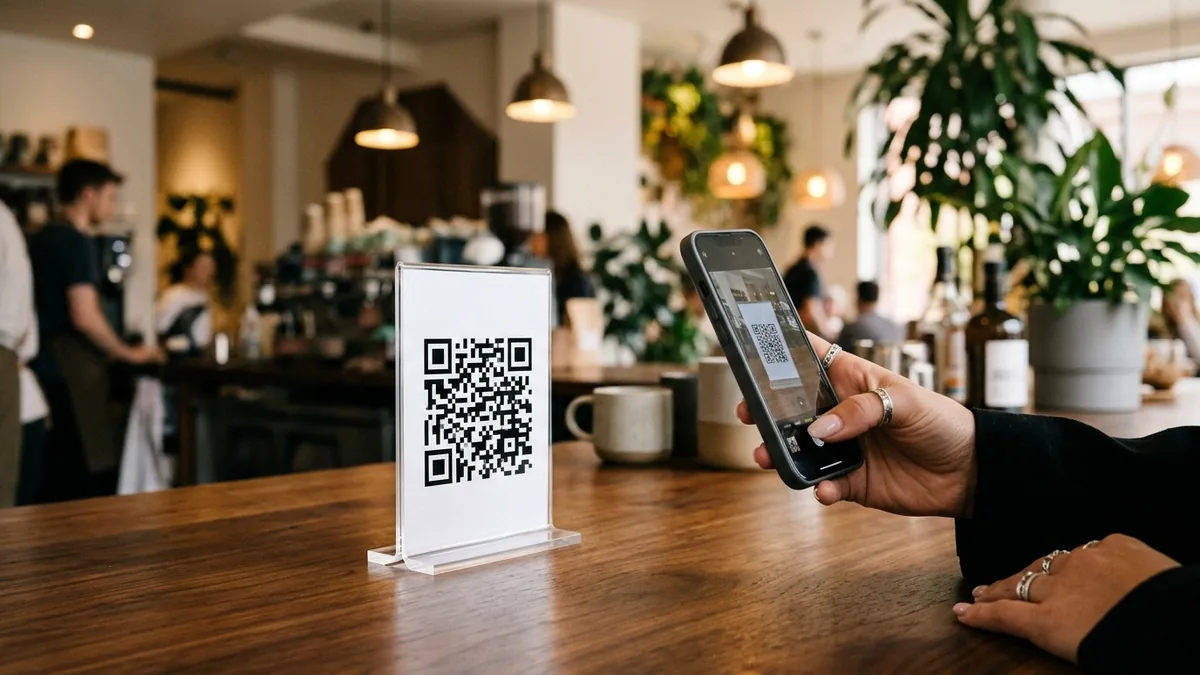
You spent time designing an attractive counter standee, paid a local printer for 500 table cards or stickers, and placed them across your counter. For the first two weeks, everything worked smoothly. Customers aimed their phone cameras, tapped the yellow preview bubble, and arrived at your menu, catalog, or WhatsApp chat.
Then on a busy Saturday evening, a customer tells you the code is broken. You scan it yourself with your own phone. Instead of opening your website, your browser lands on an unfamiliar warning screen: “This campaign has expired. Log in to your dashboard to upgrade your plan.”
Nothing on your physical print changed. The ink has not faded, and the paper is clean. What happened is much simpler and far more frustrating: the QR code you printed was never truly yours to begin with.
Why a printed QR code suddenly stops working
A printed QR code stops working when it depends on a middleman server that stops redirecting scans to your website. This happens because many popular “free QR code generator” websites do not give you a direct link. Instead, they generate a temporary dynamic redirect URL that points to their own servers.
To understand why this breaks, think of two different ways a signpost can give directions:
- A direct road sign: The signpost says
https://jaycafe.in/menu. Anyone who reads the sign walks straight to your cafe door. No one can shut that road down unless your website hosting itself goes offline. - A private telephone operator: The signpost tells the visitor to dial a private call center and ask where your cafe is. For fourteen days, the operator politely forwards every call to your door for free. On day fifteen, the operator demands ₹1,500 every month. If you refuse to pay, the operator tells your visitors that your cafe is closed.
When you use a generic free online generator that quietly creates a dynamic code, you are printing that telephone operator’s number on 500 acrylic stands. The moment their 14-day or 30-day “free trial” lapses, their server changes the destination to a paywall, an upgrade prompt, or third-party advertisements.
Static vs dynamic QR codes: what the black-and-white pattern actually holds
The difference between a QR code that lasts forever and one that can be switched off comes down to whether the destination address is baked directly into the pixel matrix or stored on an external database.
In a static QR code, your actual destination address (such as https://beepscard.com) is converted directly into black and white data modules using standard binary encoding defined under the international ISO/IEC 18004 specification. The phone camera decodes the geometric pattern locally on the device hardware. It does not contact any third party. As long as your destination website remains live, the static QR code will scan twenty years from now just as reliably as it scans today.
In a dynamic QR code, the pattern encodes a short intermediary link hosted by the service provider (such as https://short-qr-svc.com/r/8f92a). When a customer scans the code, their phone browser first loads that middleman link, their server logs the visit, and then issues an HTTP 301 or 302 redirect header sending the visitor to your final destination.
| Feature | Static QR Code | Dynamic QR Code |
|---|---|---|
| Where the data goes | Encoded directly into the black-and-white square matrix | Points to a short redirect server managed by the provider |
| Can it expire? | Never. Works permanently as long as the destination URL exists | Yes. Stops working immediately if the subscription, trial, or scan limit expires |
| Middleman dependency | None. Zero external server dependencies | Total. Fails if the provider server faces downtime or changes pricing |
| Ability to change URL later | No. Once printed on paper, the destination address is permanently fixed | Yes. You can edit the destination URL from an online dashboard |
| Scan count tracking | No built-in counters (track via Google Analytics, UTM parameters, or server logs) | Built-in dashboard analytics (scan timestamp, device type, location) |
| Cost to maintain | 100% Free forever | Typically ₹800 to ₹3,500 every year in recurring subscriptions |
To dive deeper into technical specifications and terminology across digital identification, read our comprehensive digital card and contactless technology glossary.
How to check what your printed QR code really points to before printing
You can identify whether a QR code is permanent or vulnerable to expiration in less than ten seconds using any smartphone camera or Google Lens.
- Open your phone camera: Point the lens at the QR code on your computer screen or proof sheet. Hold it steady until the yellow or white link bubble appears.
- Read the link text before tapping: Do not just tap the bubble blindly. Look closely at the exact domain name displayed in the preview bubble.
- Identify the domain name:
- If the preview shows your own website domain (for example,
jaycafe.in,wa.me/..., ormaps.google.com/...), the code is static and safe. Your camera decoded the real URL directly from the pattern. - If the preview shows an unfamiliar short domain (for example,
qr-link-3.io/x/82b,scan.me/p/..., orbit.ly/...), the code is dynamic. The service provider controls that hop.
- If the preview shows your own website domain (for example,
- Test in Airplane Mode (for text, Wi-Fi, or vCard): If you generated a Wi-Fi or text QR code, turn on Airplane Mode on your phone and scan it. A genuine static QR code will display the Wi-Fi credentials or text instantly without any internet connection. A dynamic code will show a network connection error.
What to do if your printed QR code has already stopped working
If your printed stands or cards are already in circulation and displaying an expired campaign error, you have three clear choices depending on your budget and timeline.
Jay JJ runs Jay Cafe, a neighborhood coffee shop. In August, Jay printed 40 acrylic counter standees featuring a QR code linking to their PDF food menu. Three weeks later, customers reported that scanning the stand opened a red paywall page demanding ₹1,800 annually.
Jay did not want to pay a recurring annual fee just to show a static PDF menu. Instead of reprinting all 40 acrylic stands at once, Jay used Beeps Card’s free QR code generator to produce a permanent static QR code pointing directly to their Google Drive menu URL. Jay printed 40 high-tack vinyl stickers matching the exact dimensions of the acrylic code box, pasted them directly over the old codes, and saved ₹2,400 in replacement stand costs.
Here is how to evaluate your three recovery options:
Option 1: Pay the provider’s ransom (Quickest, but sets up an endless subscription)
If your printed QR codes are physically engraved in metal, painted on vehicle signage, or distributed across thousands of product boxes, reprinting might cost significantly more than the provider’s subscription. In that emergency scenario, paying the monthly or annual fee will reactivate the redirect server within minutes. However, recognize that you are now locked into paying that fee every year to keep your physical signage alive.
Option 2: Contact support and request a direct redirect (Rarely granted)
You can email the generator platform’s support team and ask if they can set up a permanent 301 redirect to your domain without recurring fees. While some enterprise providers offer custom DNS delegation, free tier generators almost never allow this because their entire business model depends on charging users whose prints are already out in the field.
Option 3: Cut the middleman and reprint with a permanent static code (The permanent fix)
If you printed counter standees, flyers, table cards, or business cards, the cleanest and most cost-effective solution is to cut your losses immediately. Generate a verified static QR code, order fresh prints or overlay stickers, and know with certainty that your printed collateral will never expire again.
How to create a permanent QR code that can never expire
To ensure a QR code never stops working, you must use a tool that writes your destination URL directly into the matrix without injecting an intermediate tracking server.
We built the free QR code generator on beepscard.com specifically to solve this problem for Indian small business owners. Here is how it works under the hood:
- Runs entirely in your web browser: The QR generation algorithm executes locally using client-side JavaScript on your phone or laptop. Your destination link and uploaded brand logos are never transmitted to our backend servers or stored in any database.
- Zero tracking middleman: The resulting QR code contains your clean, untouched web link, Wi-Fi login, email, or WhatsApp message. There is no redirect hop.
- No sign-ups or email requirements: You do not need to create an account, verify an OTP, or provide a credit card number to download your file.
- High-resolution print export: Download your code as a sharp vector SVG for commercial printing presses, or as an uncompressed PNG at exactly 1000 px or 2000 px resolution with custom brand colors and eye styling.
If you are creating codes for specific business tasks, use our dedicated client-side tools that follow official technical standards:
- Create verified payment standees with the free UPI QR code generator (built to NPCI specifications).
- Collect customer feedback using the Google review QR and request message generator.
- Start pre-filled customer chats using the WhatsApp link and QR code generator.
When is a dynamic QR code actually the right choice?
Static QR codes are the right choice for 90% of small business use cases, including counter menus, social media links, Wi-Fi credentials, and visiting cards. But dynamic QR codes exist for a genuine engineering reason, and being honest about their strengths helps you make the right operational choice.
A dynamic QR code makes sense when:
- You frequently change seasonal campaigns on permanent hardware: If you install an expensive illuminated sign on a shop facade or wrap a commercial delivery van, you cannot afford to reprint the vehicle wrap every season. A dynamic link allows you to route summer visitors to one offer and winter visitors to another without altering the vinyl wrap.
- You require verified scan count analytics: Because static QR codes speak directly to the destination web server, the code itself cannot tell you how many people scanned it unless your website uses detailed analytics tracking or UTM tags. If you need a dashboard showing scan volumes, peak scan times of day, and operating systems, a dynamic service handles that logging on the redirect hop.
For small business owners who want scan analytics on their visiting card or contact hub without paying inflated enterprise fees, a digital card profile like Beeps Card Pro provides full visitor and tap analytics alongside an NFC profile for just ₹299 a year. You can learn how this tracking operates in our guide on who opened my digital business card.
A five-point checklist before printing 500 copies
Before you approve your next print run and send the artwork file to your local print shop, run through this five-point verification routine:
- Verify the domain preview: Scan the artwork on your computer screen using your smartphone. Ensure the preview link matches your domain name exactly, character for character.
- Confirm URL HTTPS security: Make sure your destination website has an active SSL certificate (
https://). If your site drops SSL or shows a browser security alert, customers will hesitate to proceed. - Print a 1:1 paper proof on an office printer: Never approve artwork solely on a backlit monitor. Print a single copy on regular paper at the exact intended size (for example, 2 cm x 2 cm for visiting cards or 6 cm x 6 cm for table tents) and scan it in dim room lighting.
- Check color contrast: Keep dark data modules against a crisp, light background. Inverted codes (white modules on a black background) fail to scan on several budget Android devices without manual focus adjustments.
- Keep safe quiet zones: Ensure there is at least 4 modules of clean white margin (the quiet zone) surrounding the outer boundary of the QR pattern so phone camera sensors can clearly detect the corner alignment markers.
Frequently Asked Questions
Can I get my old expired QR code working again without paying?
Unfortunately, no. If the expired code was generated as a dynamic link on a third-party service, that company’s private server controls the redirect. Unless you pay their subscription fee or they voluntarily configure a free redirect, phone cameras scanning that specific physical print will continue landing on their paywall. Your only permanent solution is to print fresh stickers or new standees using a verified static QR code.
Can I see where a QR code goes before my phone browser opens it?
Yes. Both Apple iOS Camera and Android Google Lens show a preview pop-up bubble displaying the destination web address before you tap it. If you scan a QR code and see a domain name that does not match the business you are standing in, do not tap the link.
Do static QR codes ever expire?
No. A static QR code has no expiration date. The data is hard-coded into the physical geometry of the black and white squares. As long as the paper or material is readable and your destination web page remains online, the QR code will function indefinitely.
Can I count how many people scan a static QR code?
You cannot count scans inside the QR pattern itself, but you can easily track scans by adding tracking parameters to your destination link. For example, generating a static QR code for https://jaycafe.in/menu?utm_source=table_stand allows Google Analytics on your website to log every customer who entered via that specific physical card, completely free of charge.
Sources & Technical References
- International Organization for Standardization – ISO/IEC 18004:2024 Information technology – Automatic identification and data capture techniques – QR Code bar code symbology specification, checked 30 October 2026.
- Denso Wave Incorporated – QR Code Patent and Standardization Policy (Free standard access under JIS and ISO), checked 30 October 2026.
- Internet Engineering Task Force (IETF) – RFC 3986: Uniform Resource Identifier (URI) Generic Syntax, checked 30 October 2026.
- Beeps Card Editorial Standards – How we test hardware specifications and protect small business data, checked 30 October 2026.

How to Write the One-Line Bio on Your Digital Visiting Card (With 24 Copy-Ready Examples by Profession)