Clinic Reception Desks: How to Replace Paper Visiting Cards With a Smart Counter QR Code
In this article
Quick Summary: Reception desks at independent medical clinics and dental practices in India spend up to 40% of their working hours answering routine phone inquiries regarding doctor consultation timings, clinic directions, and appointment slots. Placing an acrylic counter standee with a single verified digital profile QR code allows visiting patients to download the clinic’s contact card, view weekly OPD schedules, open GPS doorstep directions, and request appointments on WhatsApp with one scan.
If you spend an hour sitting in the waiting lounge of an independent medical clinic or dental practice in India, you will witness the exact same cycle repeated dozens of times. The reception landline rings constantly. A receptionist busy checking in a patient has to pause, pick up the receiver, and answer the same three questions: “What time does the doctor sit today?”, “Which landmark are you opposite to?”, and “Can I book a slot for 6:00 PM?”
Meanwhile, walk-in patients collecting their prescription at the billing desk grab a printed paper visiting card from the counter holder. Within three days, over 80% of those paper slips are misplaced or thrown away in home dustbins. When the patient needs an urgent follow-up consultation two months later, they search Google Maps, click an outdated third-party medical listing, or dial an obsolete clinic landline.
Leading family clinics and dental surgeries solve this operational bottleneck by turning their reception desk into a self-service information hub. By replacing disposable paper cards with a durable, multi-panel counter QR stand, clinics provide patients with permanent access to consultation hours, doorstep navigation, and direct WhatsApp booking without overwhelming reception staff.
Why traditional paper cards fail independent medical practices
Paper visiting cards were designed for an era when doctors practiced from a single unchanging consulting room and communication was limited to landline telephones. In modern Indian healthcare, static paper cards present four major operational disadvantages:
| Practice Requirement | Paper Visiting Card Reality | Smart Counter QR Profile |
|---|---|---|
| Consultation Hours (OPD) | Fixed printed hours; cannot reflect holiday leaves or emergency changes | Live online schedule updated in real time from the doctor’s phone |
| Location Navigation | Short printed text address; drivers miss turns and call reception | One-tap Google Maps GPS doorstep navigation button |
| Appointment Inquiries | Patient dials reception during busy consultation hours | Pre-filled WhatsApp appointment booking message with preferred timing |
| Patient Review Collection | Receptionist awkwardly asks patients to search Google manually | Direct Google Business Review QR code scanned during billing checkout |
Furthermore, under strict guidelines established by the National Medical Commission (NMC) and state dental councils, healthcare professionals must maintain dignified, purely factual communication without commercial embellishments or aggressive advertising. A clean, verified digital profile containing verified qualifications, consulting hours, and location coordinates complies strictly with professional healthcare ethics while providing genuine utility to patients.
The three-part reception counter stand: timings, navigation, and booking
An effective clinic reception standee does not simply link to a generic social media page. It structures patient interaction into three clear, accessible pathways:
1. Consultation Hours and Specialist Schedules
In polyclinics or dental centers where multiple specialists visit on specific weekdays (for example, an orthodontist on Tuesdays and an implantologist on Saturdays), patients need reliable clarity before traveling across town. Scanning the primary QR code opens the verified clinic profile (such as https://user.beepscard.com/jayassociates) displaying current weekly OPD timings, specialist availability, and scheduled festival leaves.
2. Doorstep GPS Navigation and Landmark Guidance
Urban medical clinics located inside commercial complexes or residential lanes frequently receive calls from patients lost in traffic. The profile includes a direct Google Maps integration that launches turn-by-turn navigation on the patient’s phone with a single tap, guiding them directly to your clinic entrance and parking bay.
3. Structured WhatsApp Appointment Booking
Instead of requiring patients to call during clinic hours, the profile provides a dedicated WhatsApp appointment button configured with a pre-filled prompt using our free WhatsApp link generator:
“Hi Jay Dental Clinic, I would like to request an appointment.
Patient Name:
Preferred Date & Time:
Treatment/Consultation Needed:”
When the patient taps the button, their phone launches WhatsApp with that clean prompt ready to fill. The receptionist receives an organized, legible booking request that can be confirmed in ten seconds during a quiet moment between consultations.
Step-by-step setup: creating a counter QR system for Jay Dental Clinic
You can set up a full contactless reception system for your practice in under twenty minutes without purchasing specialized software:
- Compile clinic essentials: Prepare your official clinic name (Jay Dental Clinic), doctor registration numbers, consulting hours, direct reception WhatsApp number, and Google Maps pin.
- Generate an instant WhatsApp booking link: Use our free WhatsApp link generator to format your clinic number with the pre-filled appointment booking text shown above. Download the vector QR code.
- Generate a direct Google Review QR code: Open our free Google review generator to create a clean review code for your checkout counter. Happy patients completing routine cleanings or consultations can scan to leave feedback before leaving the lobby.
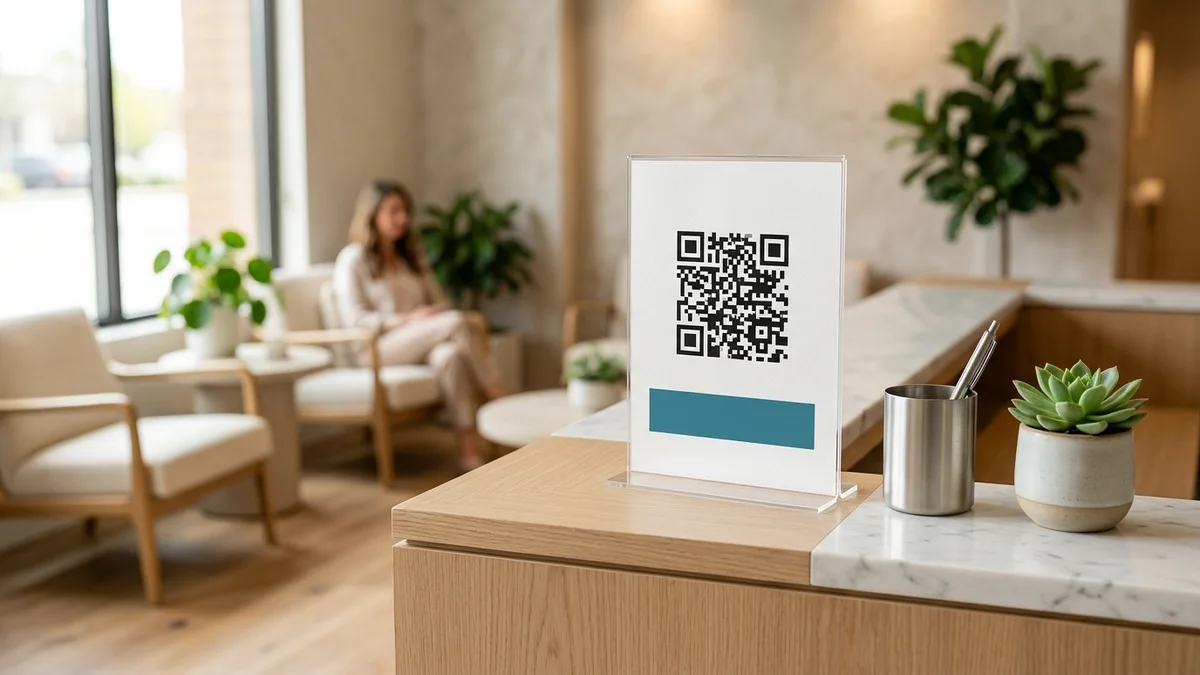
- Print an acrylic counter display: Place the codes into a clean A5 vertical acrylic stand placed prominently beside the reception token desk or billing computer. Label each code clearly: “Scan for Doctor Timings & WhatsApp Booking” on the front, and “Scan to Review Jay Dental Clinic on Google Maps” near billing.
For practices that frequently update visiting consultant rosters or offer downloadable post-procedure care sheets, explore our specialized solutions for dentists and dental specialists.
Handling elderly and non-tech-savvy patients gracefully
A smart counter QR code is designed to eliminate routine phone traffic, not to exclude patients who are uncomfortable using smartphones. Follow these two rules to ensure a warm, inclusive patient experience:
- Maintain a small supply of paper appointment slips: Always keep a small box of simple printed appointment cards for senior citizens and elderly patients who prefer physical reminders for their pocket calendar.
- Train reception staff on the two-second demo: When a patient asks for a visiting card at reception, train staff to say: “You can point your phone camera at this stand to save Dr. Jay’s schedule and clinic address directly into your WhatsApp.” Most patients appreciate the convenience immediately once shown.
Frequently Asked Questions
Does placing a QR code at clinic reception violate National Medical Commission rules?
No. The National Medical Commission (NMC) regulations permit medical practitioners to make factual announcements regarding their consulting hours, medical qualifications, registered address, and appointment booking methods. A digital visiting card or counter standee that provides factual scheduling and contact details complies fully with professional standards.
Can patients book appointments outside clinic working hours?
Yes. Because the WhatsApp appointment button delivers messages directly to the clinic’s WhatsApp Business app, patients can submit appointment requests in the evening or on Sundays. Your reception team can review incoming requests and send confirmations first thing the next morning.
What happens if doctor consulting hours change during a holiday?
If you use a cloud-hosted digital profile like Beeps Card, you can edit your consulting hours or post a holiday notice from your phone in under a minute. The very next patient who scans your reception standee instantly sees the updated schedule.
Can we attach post-treatment instructions or care guides to the profile?
Yes. A Beeps Card profile allows clinics to attach downloadable PDF brochures and care instructions (such as “Post-Tooth Extraction Care Guidelines” or “Dietary Advice for Diabetics”) directly to their digital card, saving printing costs and providing patients with easy mobile access at home.
Sources & Technical References
- National Medical Commission (NMC) – Professional Conduct, Etiquette and Ethics Regulations for Registered Medical Practitioners in India, checked 30 October 2026.
- Dental Council of India (DCI) – Revised Dentists (Code of Ethics) Regulations and Guidelines for Practice Information, checked 30 October 2026.
- WhatsApp Business Help Center – Click to chat feature and pre-filled message syntax, checked 30 October 2026.
- Beeps Card Editorial Standards – Healthcare communication compliance protocols and reception operational benchmarks, checked 30 October 2026.
How to Write the One-Line Bio on Your Digital Visiting Card (With 24 Copy-Ready Examples by Profession)